


Weather Mate - Local Weather
4.135.00 Reviews
App Specs
- Version
- 1.0.26
- Updated On
- License
- Free
- Downloads
- 100,000+
- Developer
- Bersamakitta
- Categories
- Weather
- Platform
- Android
Screenshots
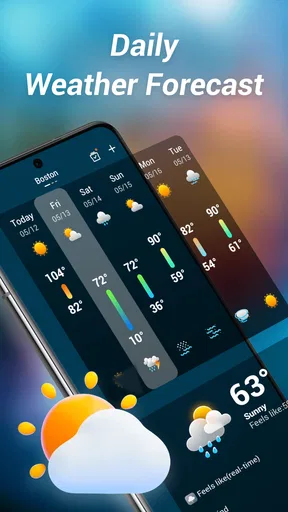
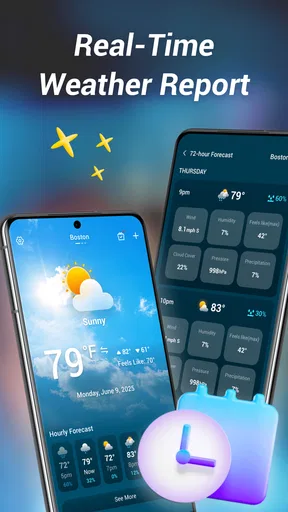
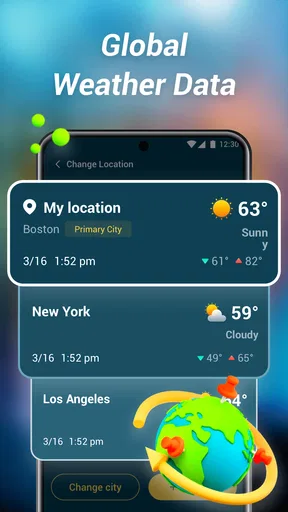
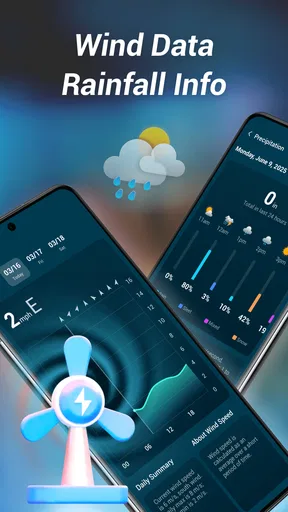
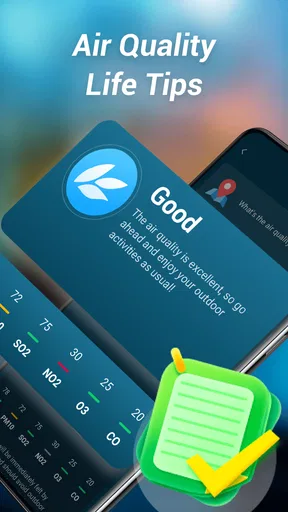
 Analysis by AppCompare
I spent time with Weather Mate - Local Weather as a straightforward weather app, paying particular attention to how easily different people can read, navigate, and use it in ordinary situations. Developed by Bersamakitta, it is free, rated for Everyone, and available for Android devices running version 7.0 or later. Its basic promise is simple: give you a local forecast and a daily weather report without turning a quick check into a complicated task.
That simplicity is the main reason I can imagine recommending it to a friend. I do not always want a weather app packed with maps, animated layers, alerts, radar controls, and menus. Sometimes I just need to know whether I should carry an umbrella, postpone a walk, or dress for a cooler evening. Weather Mate aims at that everyday need, and its relatively focused purpose also makes it worth examining from an inclusive-use perspective.
How clearly the app supports different users
I find Weather Mate’s clearest strength is its focused, visual approach to a daily weather check: it is designed to make the local report the main task, rather than asking users to work through a feature-heavy forecast dashboard. That can make the routine easier to learn and repeat, though the real test is whether the text and controls remain comfortable on each person’s device. I’d also consider how that simple flow holds up when people have different needs and use the app in different settings.
Readability and navigation for a quick forecast
My first impression is that Weather Mate is best understood as a low-friction weather tool rather than a full meteorological workstation. The store summary emphasizes local weather and a reliable daily report, so I approached it as something to open, scan, and close. That matters for people who find dense dashboards tiring or who prefer one clear answer over several competing panels.
The short name “Weather Mate” also sets the right expectation: this is meant to feel like a practical companion, not a technical instrument. In a daily routine, the useful question is often not “What are every possible atmospheric conditions?” but “What will the weather mean for my next few hours?” A compact presentation can help users who have difficulty filtering information, especially when they are already in a hurry.
I would still judge the app on the actual contrast, text size, spacing, and hierarchy visible on the device being used. Those details can vary with screen size and system settings, and I would not treat a clean concept as proof that every person will find the display comfortable. Someone with reduced vision may need larger system text or a larger phone, while a user with strong sensitivity to visual clutter may appreciate an interface that avoids unnecessary decoration.
One useful habit is to make the first check of the day part of an existing routine rather than repeatedly reopening the app. I found that a weather application becomes easier to live with when I decide what information I actually need: current conditions before leaving, the daily outlook for planning, or a later check before returning home. That approach reduces visual scanning and avoids treating every small change as something requiring attention.
Worth Reading Before You Choose

EA SPORTS FC Mobile 26 Is a Bigger Football Game, but It Takes Time

Flipboard Shows What News Apps Must Do Beyond the Feed

Switching to Android Auto Means Rethinking Your Driving Routine

Google Calendar Makes a Crowded Week Easier to Manage

Ludo King Makes the Most of the Minutes Between Plans

Baby Panda World Brings Quick Play to Modern Phones, but Its Game Library Feels Busy
Navigation is also a question of memory. A person who struggles with complex menus benefits when the main task is predictable: open the app, find the local report, read the relevant period, and leave. Weather Mate’s focused identity works in its favor here. Compared with feature-heavy weather alternatives, it is less appealing to someone who wants to explore layers and technical details, but potentially more comfortable for someone who wants a repeatable sequence.
Motor and sensory considerations in everyday use
Weather apps are often used with one hand, while standing at a bus stop, carrying shopping, or preparing to leave home. That makes large, forgiving touch targets and uncomplicated movement valuable. I would not assume every control is equally comfortable for every user, but the app’s local-report focus gives it a better starting point than a tool built around many tiny controls and map gestures.
For users with tremor, limited dexterity, or difficulty with precise tapping, the best workflow is to avoid unnecessary exploration. Open the app with the device’s normal shortcut or home-screen placement, pause long enough for the report to settle, and use the most direct reading path. If the interface requires repeated swipes or precise taps on a particular phone, that becomes a meaningful disadvantage even if the forecast itself is useful.
People with hearing loss are not dependent on spoken weather information in the same way as they might be with an audio-first service, because the central task is visual. On the other hand, users with low vision or reading fatigue may need support from their phone’s built-in text enlargement or screen-reading tools. I would test those tools before depending on the app for important decisions, because compatibility and labeling can differ between Android devices.
For sensory-sensitive users, a restrained weather experience can be preferable to one filled with constant motion, bright warning colors, or crowded charts. Weather Mate’s appeal is strongest when it keeps attention on the daily report. Still, anyone especially affected by animation, contrast, or color should inspect the actual screen in their normal display mode rather than relying on the category description. A weather app should not force a person to decode color alone when a plain-language condition would be easier.
A practical tip is to check the forecast in a calm setting and make a simple plan before entering a noisy or visually demanding environment. For example, a person who finds it difficult to process information outdoors can look at the report at home, decide on clothing and transport, and avoid trying to interpret the screen in bright sunlight or rain. This is not a special feature of the app, but it is a realistic way to make a simple tool more usable.
Situational access: commuting, travel, and shared devices
The strongest use case I found is the ordinary departure decision. Imagine checking the app while preparing for work or an appointment: you want to know whether a light jacket is sensible, whether a walk is comfortable, and whether the return trip may require different clothing. A local daily report can answer that more efficiently than opening a general search page and sorting through unrelated results.
That same workflow can help caregivers, family members, and people supporting someone who has difficulty planning around changing conditions. The report can become part of a morning checklist alongside medication, transport, or school preparation. I would keep the final decision in plain language—“take the waterproof coat” or “plan an indoor route”—rather than expecting another person to interpret a collection of symbols.
Weather Mate is also potentially useful for people who are not confident with technology. A free app with an Everyone content rating is less intimidating than a service that appears designed for professional forecasting. The app has passed one hundred thousand installs and holds a 4.1 average from roughly eight hundred ratings, which suggests that it has reached a meaningful group of ordinary users. Those figures do not tell me whether it suits a particular accessibility need, but they do make it easier to see the app as a practical everyday option rather than an obscure experiment.
Its current version is 1.0.26, and the app was released on June 9, 2025. For someone using an older Android phone, the minimum requirement of Android 7.0 is relevant: the device may be supported even if it is not recent. That can matter for users who keep a familiar handset because a newer model is too expensive, too heavy, or difficult to learn. At the same time, an older device may have its own limits around display quality, speed, or system accessibility settings.
When I compare it with the usual alternatives, the distinction is clear. Search engines and built-in weather panels are convenient because they are already present, while large commercial weather services often offer more detailed maps, longer forecasts, and additional alerts. Weather Mate makes more sense when the priority is a dedicated local report with less surrounding information. It is less suitable when a person needs specialist planning for travel, outdoor work, severe weather monitoring, or detailed visual analysis.
Where the experience may still create barriers
A simple interface is not automatically an accessible one. The app still depends on a person being able to launch it, identify the relevant weather information, and interpret the presentation. If text is small, contrast is weak, or important conditions are communicated mainly through icons or color, users with visual or cognitive difficulties may have to work harder than expected.
Another barrier is context. A forecast can be easy to read at home and much harder to use on a moving bus, under strong sunlight, while wearing gloves, or during heavy rain. A person with limited hand movement may not want to perform several gestures outdoors. Someone with attention difficulties may benefit from a single obvious answer, but could become uncertain if current conditions and the daily outlook are not clearly separated.
I also would not choose this app solely because it is free. Free access removes a financial barrier, which is important, but it does not guarantee that the app will fit every device, vision setting, or reading preference. Before making it part of a safety-critical routine, I would test it with the phone’s preferred font size, display scaling, and any assistive technology already in use. If the screen becomes cramped or the information is not announced clearly, a different weather service may be the better choice.
There is also a trade-off between simplicity and depth. A person who needs precipitation timing for a specific outdoor task, detailed radar interpretation, or extensive location management may outgrow Weather Mate quickly. A more advanced alternative can provide better evidence for those decisions, even if it takes longer to learn. Conversely, that extra detail can be a barrier for somebody who only wants a calm, repeatable morning check.
Forecast reliability deserves sensible handling too. I like the app’s emphasis on a reliable daily report, but no weather application should be treated as an unquestionable authority for hazardous conditions. For important travel, outdoor employment, health-related planning, or rapidly changing weather, I would compare the report with an official local warning source. That is not a criticism unique to Weather Mate; it is a sensible boundary for any consumer forecast.
Small workflows that make the app more useful
My first recommendation is to separate planning from checking. Use the daily report once to decide what the day requires, then check again only when a change would affect your decision. This reduces repeated reading and is especially helpful for people who become overwhelmed by constant updates. It also keeps the app in its strongest role: a quick planning aid rather than an endless stream of information.
My second recommendation is to pair the weather check with a concrete object or action. Instead of trying to remember several symbols, connect the result to a choice: umbrella, hat, warmer layer, water bottle, or indoor alternative. This is useful for users with memory challenges and for anyone who finds abstract forecast language less helpful than a practical instruction.
Third, test the app at the times and places where it will actually be used. Read it at home in the morning, outside in daylight, and with the phone held in the way you normally carry it. If you share weather information with another person, ask them to follow the same path without coaching. That quick test reveals more about readability and navigation than a general promise of simplicity.
Finally, keep an alternative available for exceptional situations. Weather Mate can be the comfortable daily option while an official warning channel or more detailed weather service handles severe conditions and specialist needs. Using each tool for the job it does best is more reliable than demanding that one lightweight app cover every possible forecast task.
My inclusive verdict after using Weather Mate
Weather Mate - Local Weather is a sensible choice for people who want a free, focused daily weather check and prefer not to navigate a crowded forecasting dashboard. I especially see value for users who benefit from a predictable routine, older Android device owners, families planning a day together, and anyone who wants to turn a local report into a simple clothing or travel decision.
I would recommend approaching it as an accessible starting point, not as a guarantee of accessibility for every person. Its strengths are its focused purpose, low financial barrier, and suitability for a repeatable workflow. Its limitations are the unknown fit of the visual presentation on different screens, the practical difficulty of using any app in harsh conditions, and the likely appeal of richer alternatives for advanced forecasting.
For my own everyday use, I would keep it if the text remains comfortable at my preferred display settings and the local report answers the questions I actually ask. I would skip it in favor of a more detailed service if I needed radar, specialist alerts, or extensive forecast analysis. Overall, Bersamakitta has created an approachable weather option whose best quality is restraint: it can make the morning forecast easier to act on without demanding much attention.
Pros
- Clean interface makes forecasts easy to scan at a glance.
- Provides useful local conditions for everyday planning.
- Hourly and daily forecasts support short- and long-term decisions.
- Weather details are presented in a straightforward
- readable format.
- Helpful for checking conditions before commuting or outdoor activities.
Cons
- Forecast accuracy can vary depending on location and data coverage.
- Some advanced features may require a subscription or in-app purchase.
- Frequent alerts may feel excessive unless notification settings are adjusted.
- The app may use noticeable battery or data when tracking location automatically.
- Ad-supported areas can reduce the overall viewing experience.
FAQs for Weather Mate - Local Weather
What is Weather Mate - Local Weather?
Weather Mate - Local Weather is a weather app designed to provide forecasts and current conditions for locations selected by the user. After setting up a location, you can typically view information such as temperature, feels-like temperature, precipitation chances, wind, humidity, and other atmospheric details. It is aimed at people who want a convenient daily weather overview without relying only on a web browser.
How accurate are the forecasts in Weather Mate - Local Weather?
Forecast accuracy depends on the weather data providers, your location, and how far ahead you are checking. Like other weather applications, Weather Mate is generally most reliable for current conditions and short-term forecasts, while predictions several days in advance may change. It is a useful planning tool, but severe-weather warnings and rapidly changing conditions should also be confirmed through official local weather services.
Does Weather Mate - Local Weather require location access?
The app may request location permission so it can automatically identify your current area and show local weather information. You can usually deny this permission and enter a city or region manually instead. If privacy is important to you, review the permission options during setup and choose the least access necessary. Location behavior can vary depending on your device, operating system, and app version.
Does Weather Mate - Local Weather offer alerts or weather notifications?
Weather Mate may provide notifications for forecast updates, changing conditions, or severe weather, depending on the features enabled in your version and the settings available on your device. Notifications are not always active by default, so it is worth checking the app’s settings and your phone’s notification permissions. Keep in mind that alert availability and timing can differ by country and data source.
Is Weather Mate - Local Weather free to download and use?
The app may be available as a free download, although some functions can depend on advertising, optional purchases, or a premium subscription. Before downloading, check its current store listing for details about pricing, advertisements, trial periods, and locked features. Also review subscription terms carefully, especially if advanced forecasts, ad removal, widgets, or additional weather information are offered as paid extras.


